Cortex Emergency Calls
Do away with obsolete paging systems
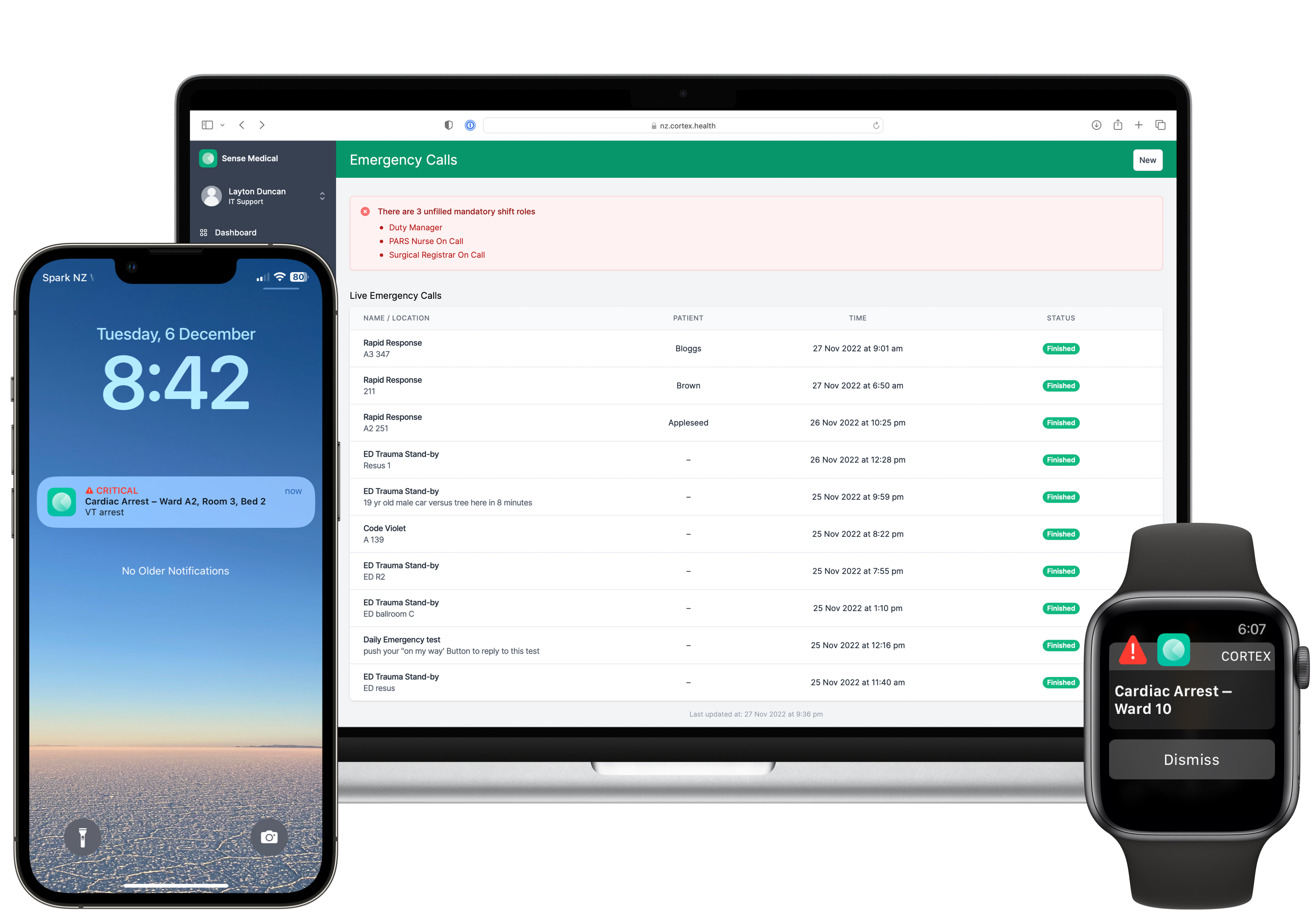
Modernise your MET and Code call management system with a smartphone and web-based solution integrated into the Cortex care coordination platform.
Emergency Calls runs standalone at Health New Zealand Hawke's Bay, and alongside the full Cortex platform in Canterbury and on the West Coast.
Define your call codes
Cortex Emergency Calls is fully configurable for your organisation, start by defining your call codes.
-
- Create Shift Roles which users can assume for a specific period of time, such as 'ICU On Call Registrar' or 'Coronary Care Nurse'
-
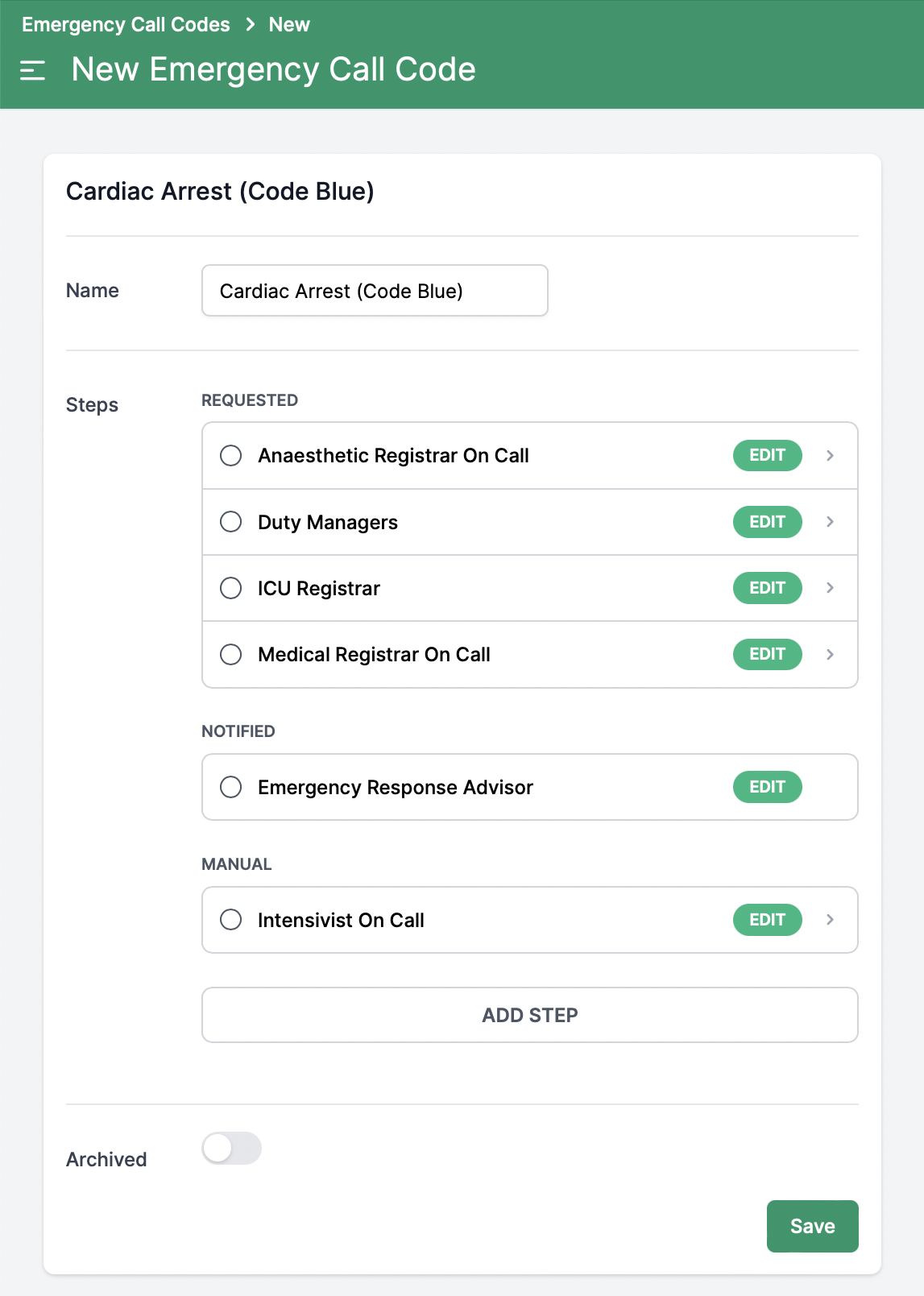
- Configure the steps to perform when a specific type of emergency call is made. Cortex allows 3 action types:
- Request - choose which shift roles are to be alerted via a critical notification. This alert overrides the mute switch, alert volume, and Do Not Disturb settings to ensure it is always audible.
- Notify - choose which shift roles are to be notified with a regular push notification, respecting the device's mute switch, alert volume, and Do Not Disturb settings.
- Manual - a text description of the action the operator should perform, such as calling emergency services such as fire or police.
-
- If a particular step does not receive a response during a call, Cortex allows a description against each run sheet step, describing what manual escalation actions should be performed.
Define roles to respond
Define the run sheet
Manage Escalation Paths
Call your codes
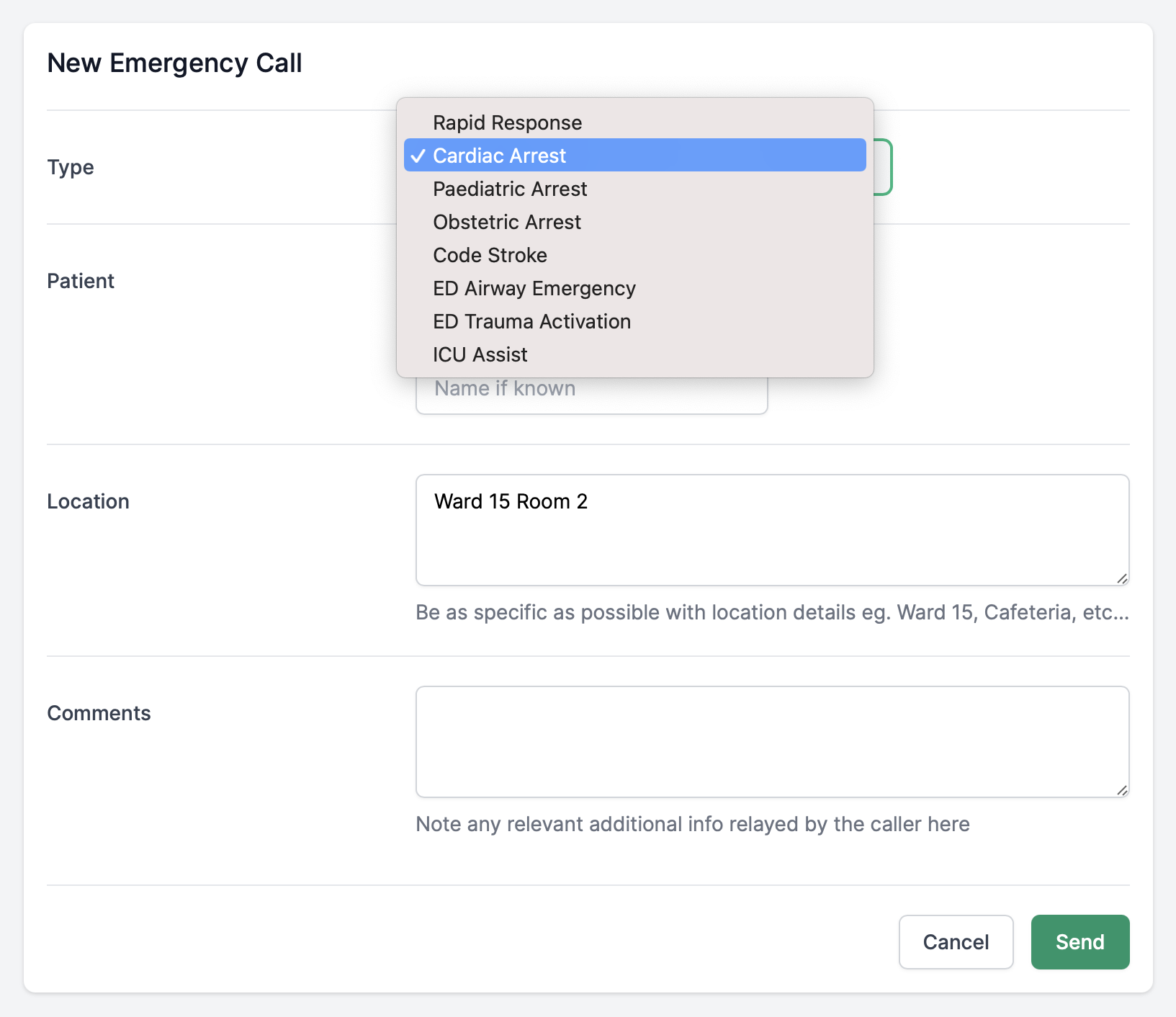
Trigger an emergency call from the web management dashboard.
-
- Select the call type, optionally select a patient involved in the call, their location, and add any comments. Any 'Request' or 'Notify' steps will automatically send push notifications to their targets, leaving just manual run sheet steps for the operator to perform.
-
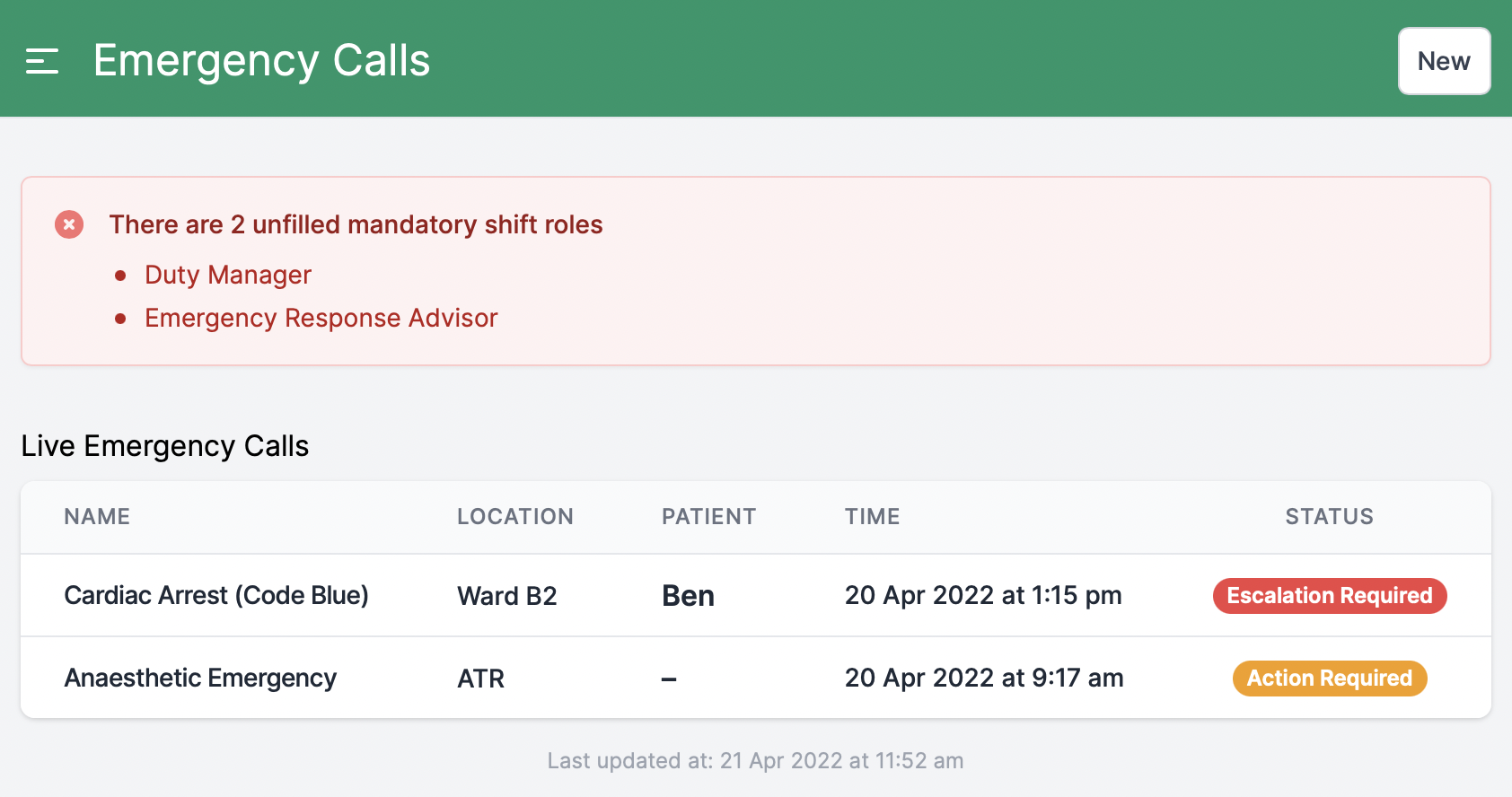
- Telephonists, Duty Managers and Clinical Coordinators can monitor all live emergency calls from the web dashboard and see at a glance if any require operator escalation.
Send out the call
Monitor for escalation
Respond
Team members can respond from any device they are notified on with an "On my way" or "Unavailable", keeping the operator in the loop as to who is or is not on the way.
Always in the loop
Telephonists are always in the loop with the 'at a glance' dashboard.
-
- Monitor responses, see who is attending, and who won't make it.
-
- Escalate any steps where no response has been received, or when a role is not filled.
Track acknowledgements
Escalate non-responses